
HOW TO USE AIR CONDITIONING IN YOUR BEDROOM
This is the Daikin air conditioner control for your room with touch control.
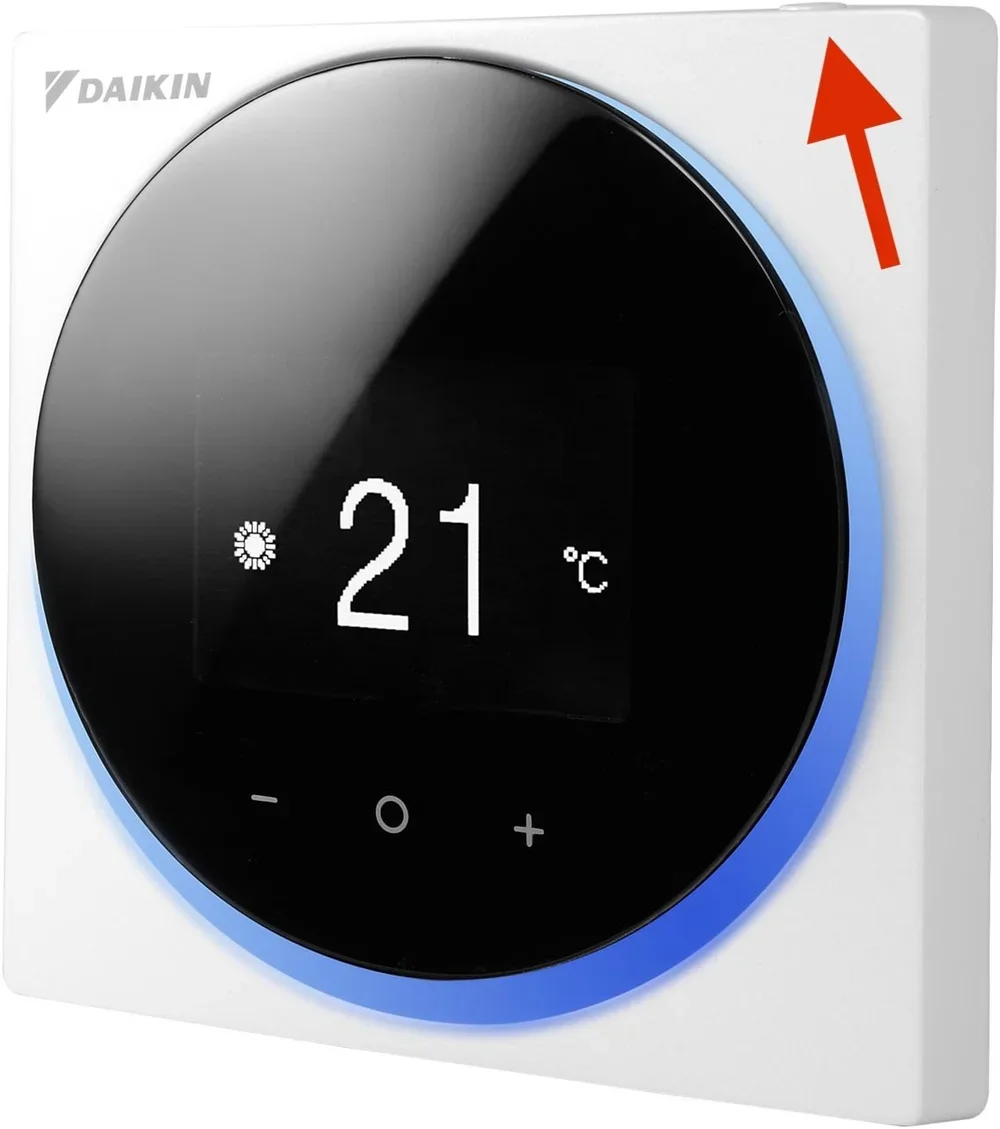
🔌 On / Off
The ON/OFF button is on the top of the unit.
Just press once to turn it on, and again to turn it off.
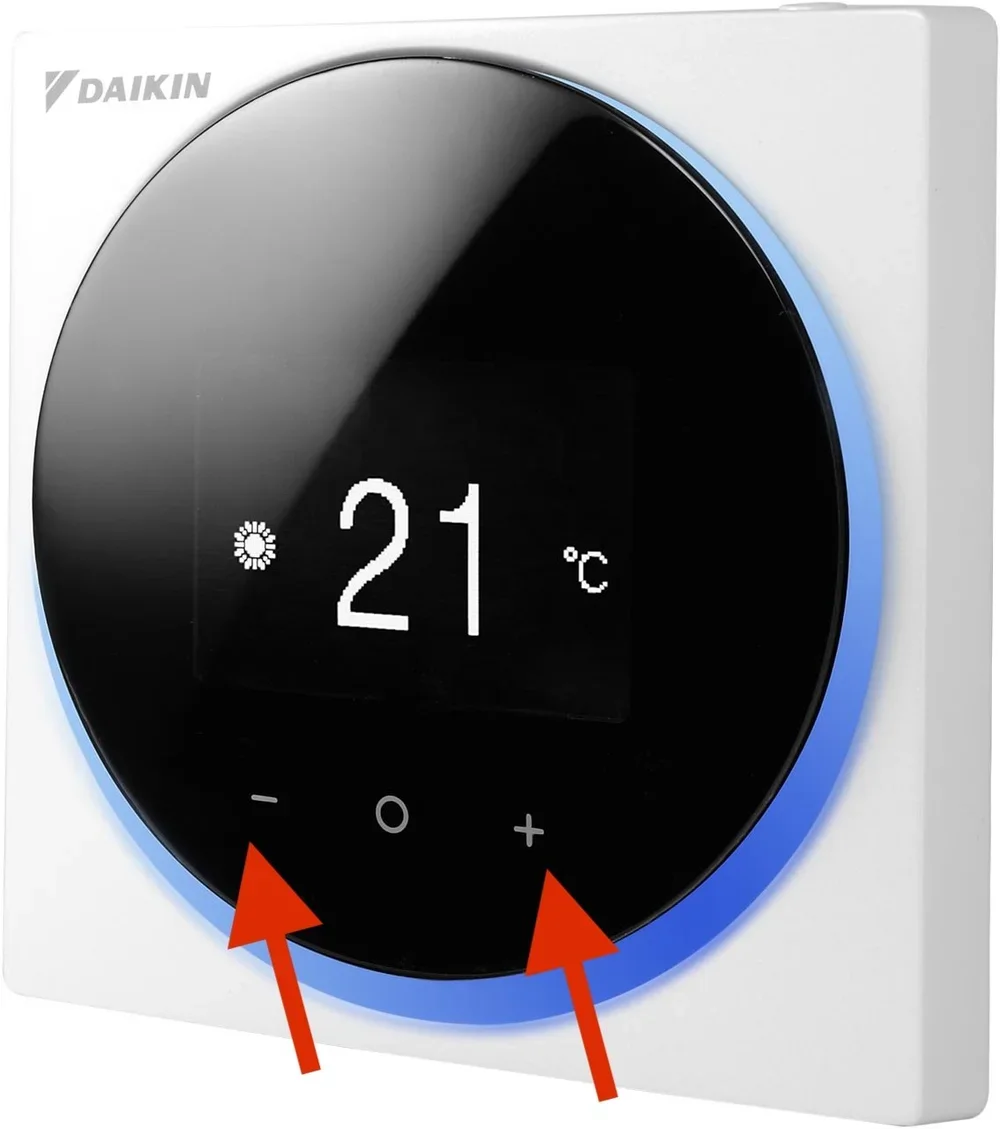
🌡️ Setting the temperature
Use the "+" and "-" buttons on the screen to increase or decrease the temperature.
We suggest a temperature of between 21 °C and 23 °C - it's comfortable and efficient.
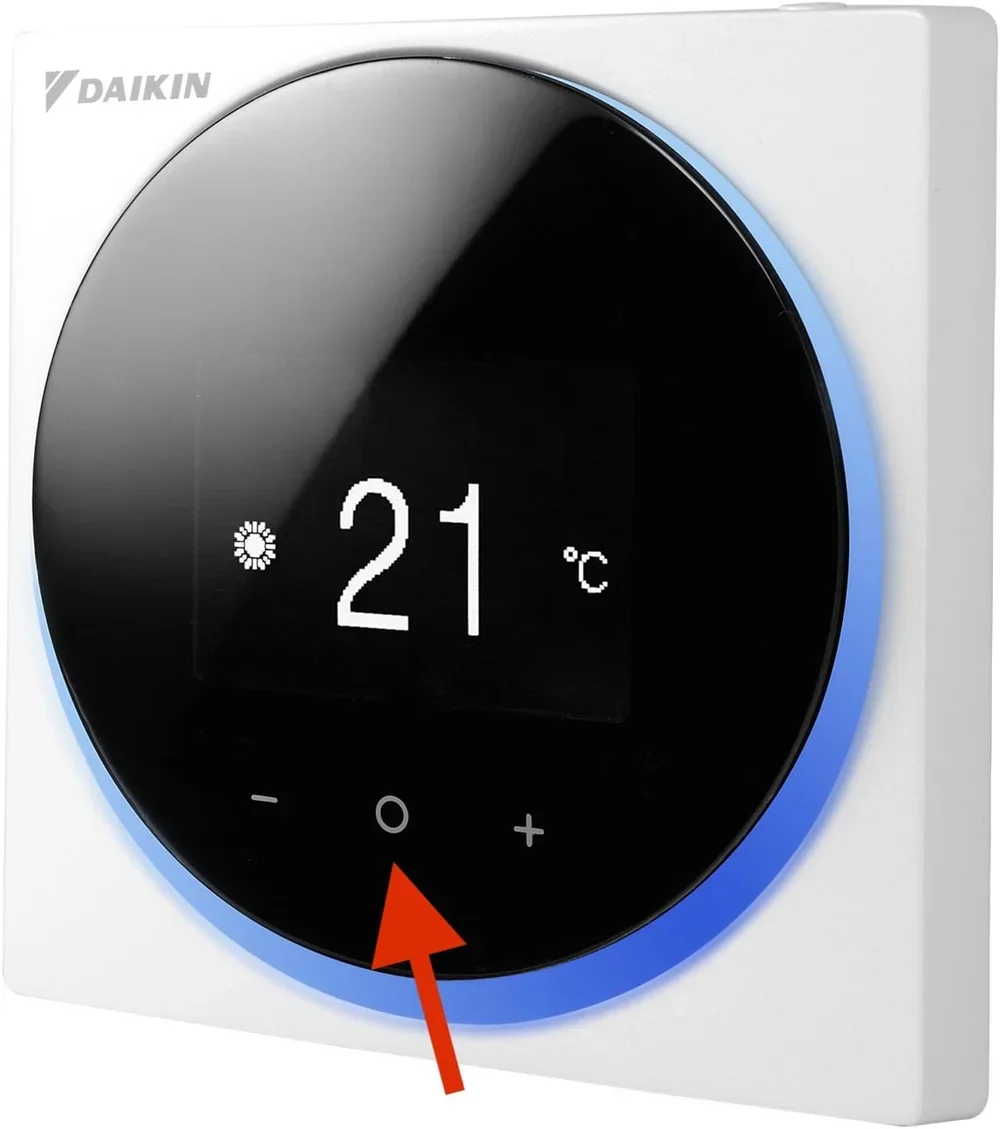
🔄 Change mode (cooling, heating, automatic, ventilation)
To change the mode, click on the central "O" button (ENTER / ACTIVATE / SET), according to the manual.
Each click takes you to the next mode:
☀️ Heating
❄️ Cooling
🔄 Automatic
💨 Ventilation only
✅ Automatic mode recommended
If you want something simple, choose automatic mode. The air conditioner adjusts itself to maintain a comfortable environment with low energy consumption.
🌿 Sustainability at Gandum
We use 100% renewable energy, but the world will thank you if you maintain a balanced temperature 🌍
